Scheduled Tasks
Schedule dataset refreshes and email or WeChat delivery of dashboards and large-screen displays. Covers task types, export plugins, and cron-style triggers.
Scheduled Tasks
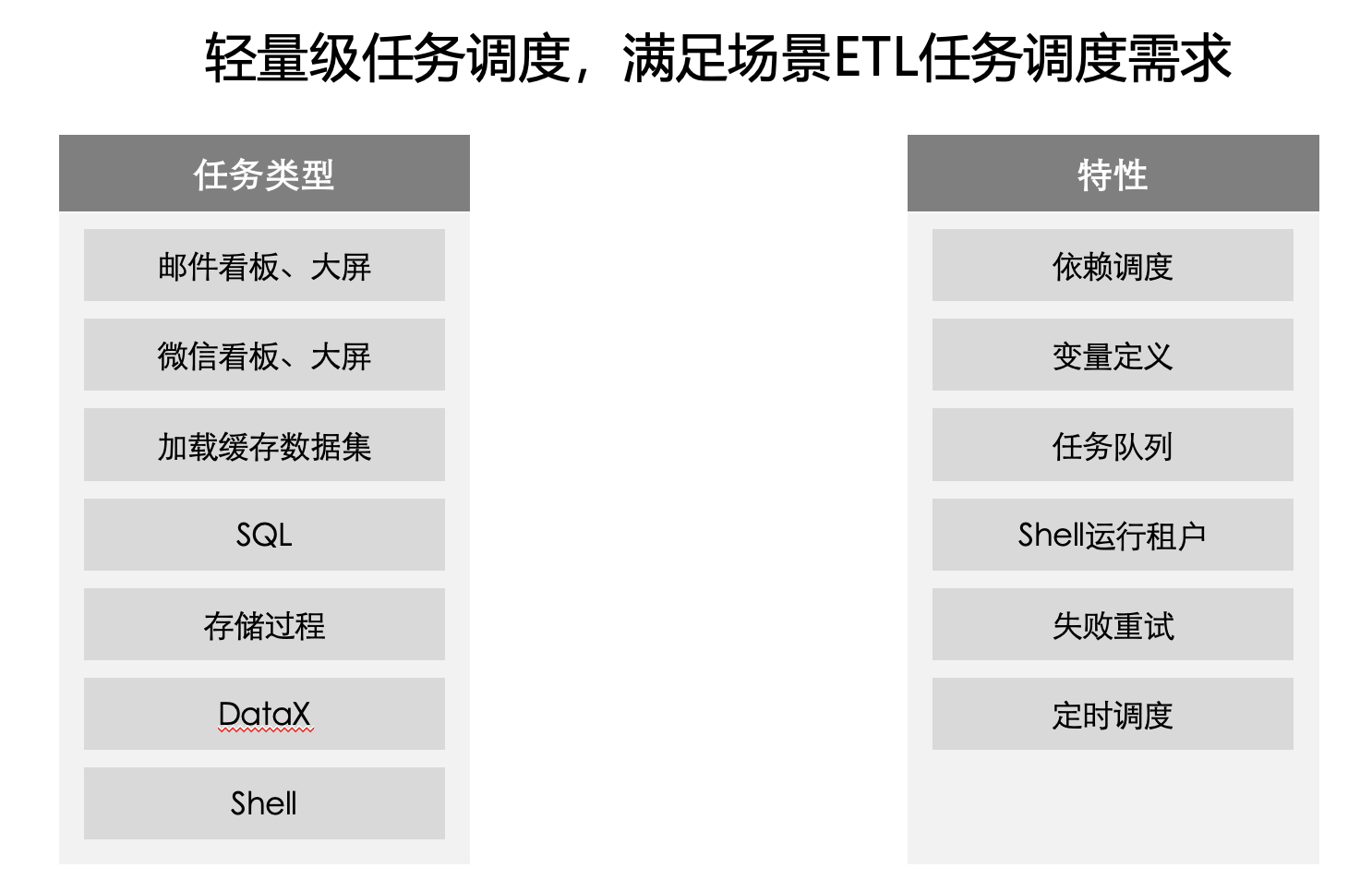
Currently, IBI scheduled jobs are positioned as a lightweight data development and ETL job platform, suitable for scenarios where data task volume is not very high. If an enterprise has many and heavy tasks, it is recommended to use a distributed task scheduling platform such as DolphinScheduler, etc.
Task Types
Send Dashboard/Large Screen via Email
Server-side Request Plugin Configuration
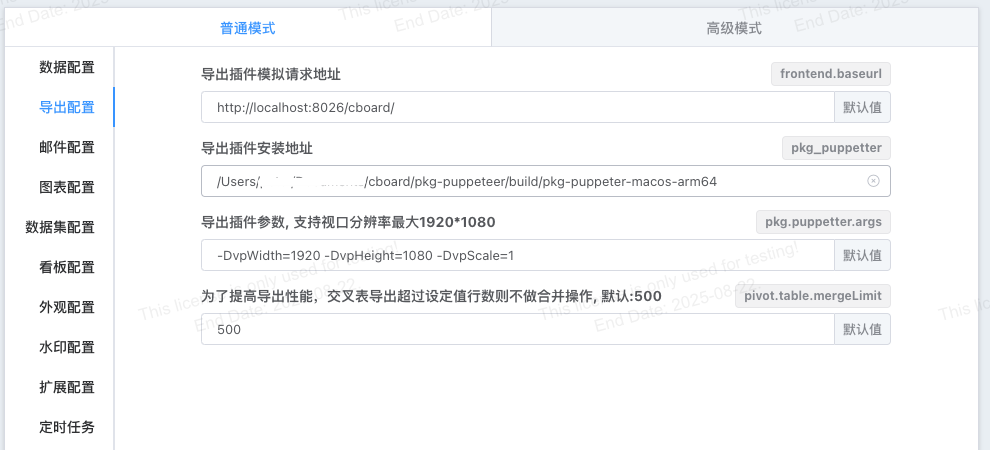
Sending dashboards via scheduled tasks requires the server to simulate dashboard requests in the background at scheduled times. This functionality requires the installation and configuration of a simulation request plugin. The simulation request plugin can be configured in the configuration file or on the configuration page. Configuration on the configuration page takes precedence over settings in the configuration file.
## Dashboard export, email sending dependent plugin
pkg_puppetter=/Users/xxx/cboard/pkg-puppeteer/build/pkg-puppeter-macos
pkg.puppetter.args=-DvpWidth=1920 -DvpHeight=1080 -DvpScale=1
## Export plugin simulation request address
frontend.baseurl=http://localhost:8026/cboard
Configuration on the configuration page is as follows:
Mail Server Configuration
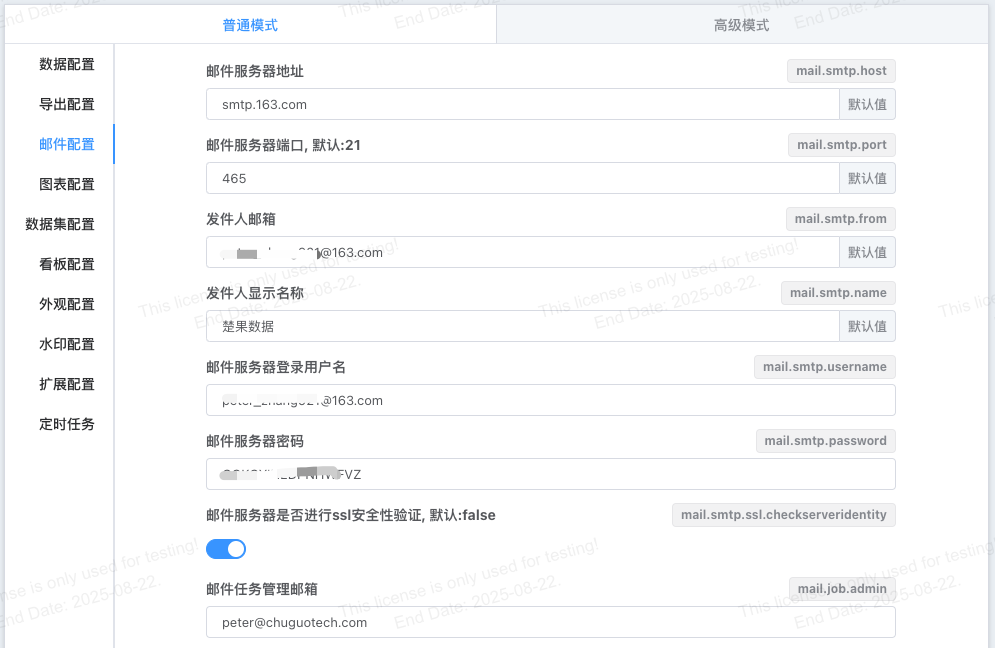
Configuration file settings:
mail.smtp.host=127.0.0.1
mail.smtp.port=8825
mail.smtp.from=test@test.com
##mail.smtp.username=test@test.com
##mail.smtp.password=111111
##mail.smtp.ssl.checkserveridentity=false
Configuration page settings:
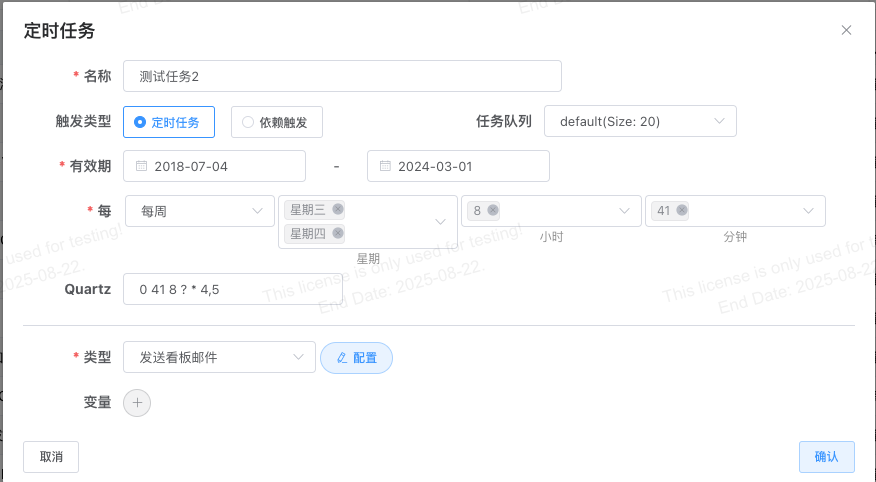
Create a New Task, Fill in the Task Form
- Task Name
- Task Validity Period
- Schedule (Quartz expression is a read-only property and cannot be edited directly)
- Task Type (Send Mail via Email)
Configure Email Content
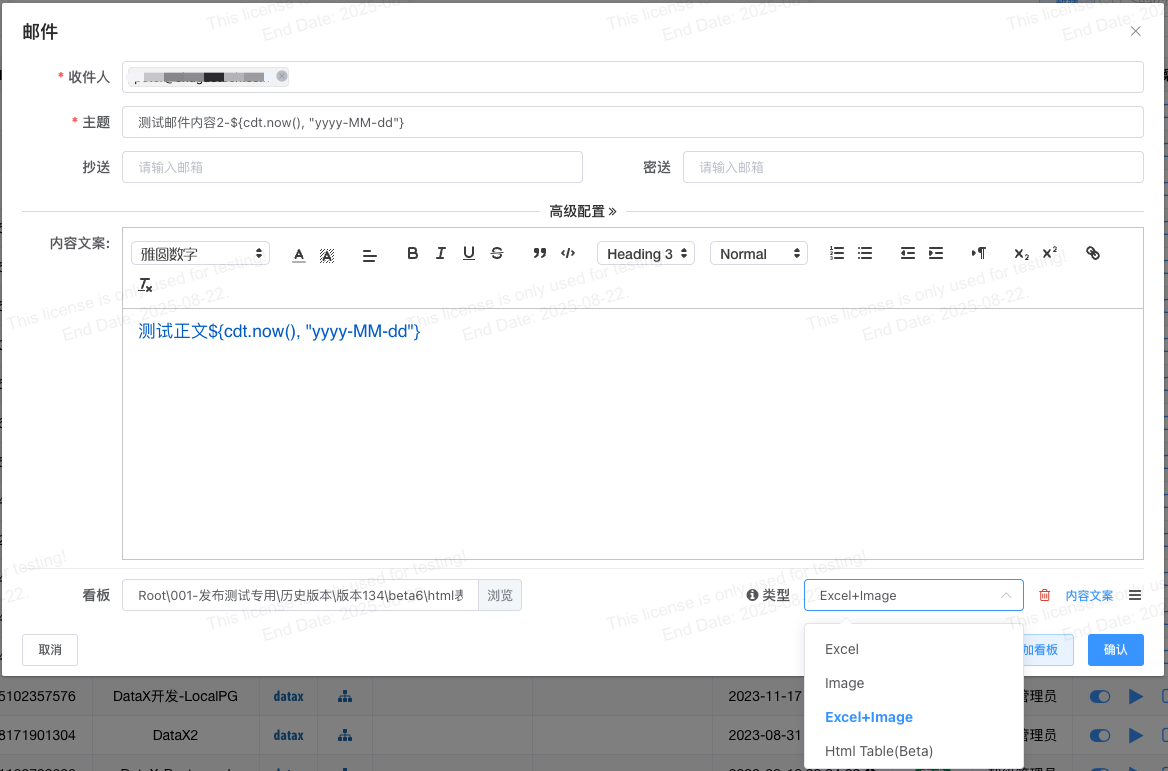
- Recipient (required) / CC / BCC / Email Subject
- Add Dashboard(s): Multiple dashboards can be added.
- Configure Dashboard Display Format:
- Excel: Dashboard is displayed as an Excel attachment.
- Image: Dashboard is displayed in the email body as a page screenshot.
- Excel+Image: Both formats coexist.
- HtmlTable: Email body is an HTML table.
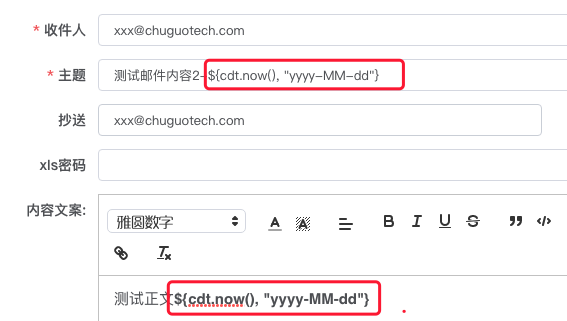
Email Subject and Content
Starting from v1.6.0, email subjects and content support built-in variable resolution, such as using time variables.
Run Immediately
After the email is fully configured, you can run it immediately. If the run fails, click the debug button to view error information.
Send Dashboard/Large Screen via WeChat
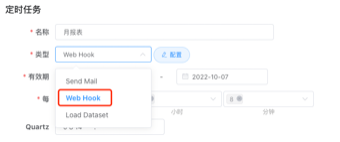
- Configure the Enterprise WeChat robot webhook key and test connectivity.
- Select the dashboard(s) to send.

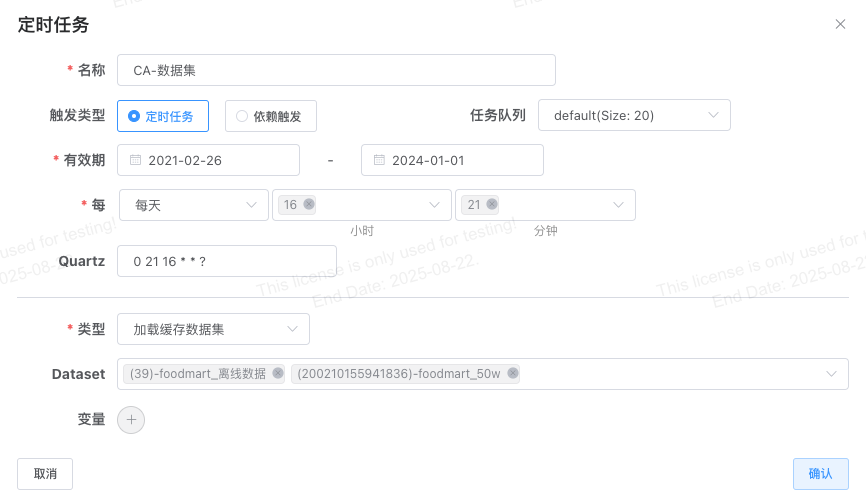
Load Cached Dataset
Cached datasets refresh their cache by default at 00:00 every day. For cached datasets with update frequencies higher than daily, you can refresh data via scheduled tasks.
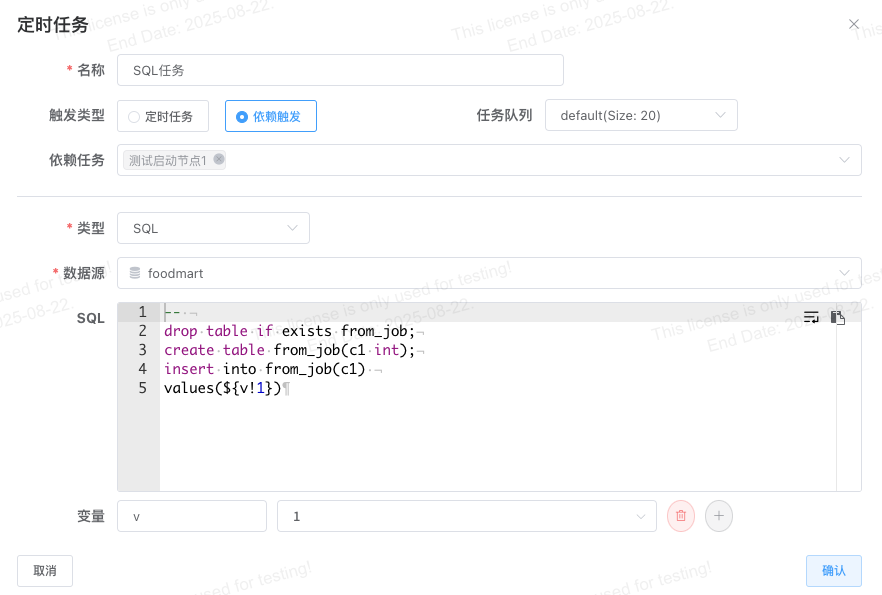
SQL and Stored Procedures
- Select SQL or Stored Procedure as the task type.
- SQL Task: Multiple SQL statements can be executed at once, separated by semicolons.
- SQL tasks support variables.
DataX Task
DataX Directory Configuration
Before using DataX tasks, you need to install and configure the DataX installation directory yourself. Log in to the system as an administrator, go to Management -> System Configuration -> Scheduled Tasks -> DataX Installation Directory.
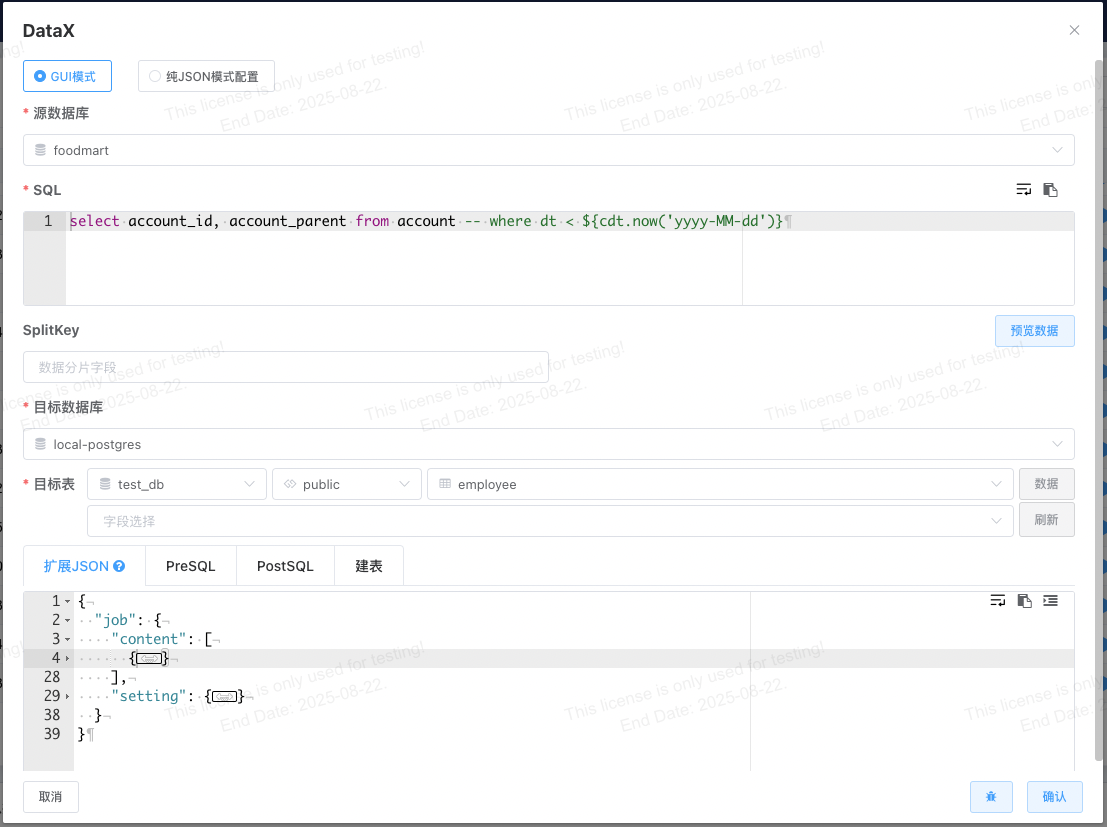
Graphical Configuration Mode
- Select the source database.
- Fill in the data query SQL (supports variables) and preview the data.
- If the amount of data to be read is large, you can configure data sharding fields, with multiple fields separated by English commas.
- Select the target database.
- Select the target table (you can view current target table data by clicking the data button to check if target table data exists).
- Field selection (if not configured, it loads with one-to-one correspondence; it is recommended to configure fields according to the actual situation).
- Advanced Configuration:
- Extension JSON: Used to override automatically generated JSON.
- PreSQL: SQL to execute before loading.
- PostSQL: SQL to execute after loading.
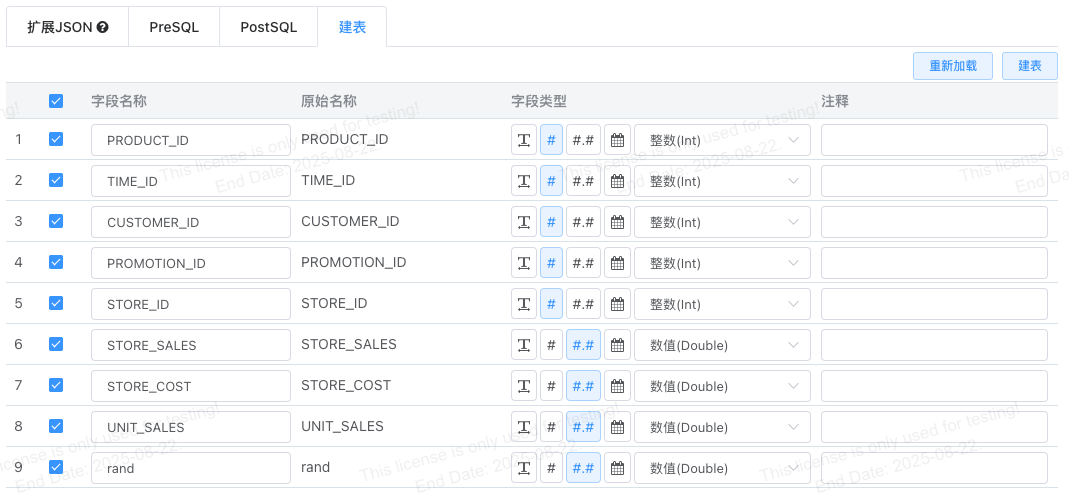
- Create Table: When the target table does not exist, perform automatic table creation on the page. Click "Load Fields" for the program to generate a field list based on the source data query results, then click "Create Table".
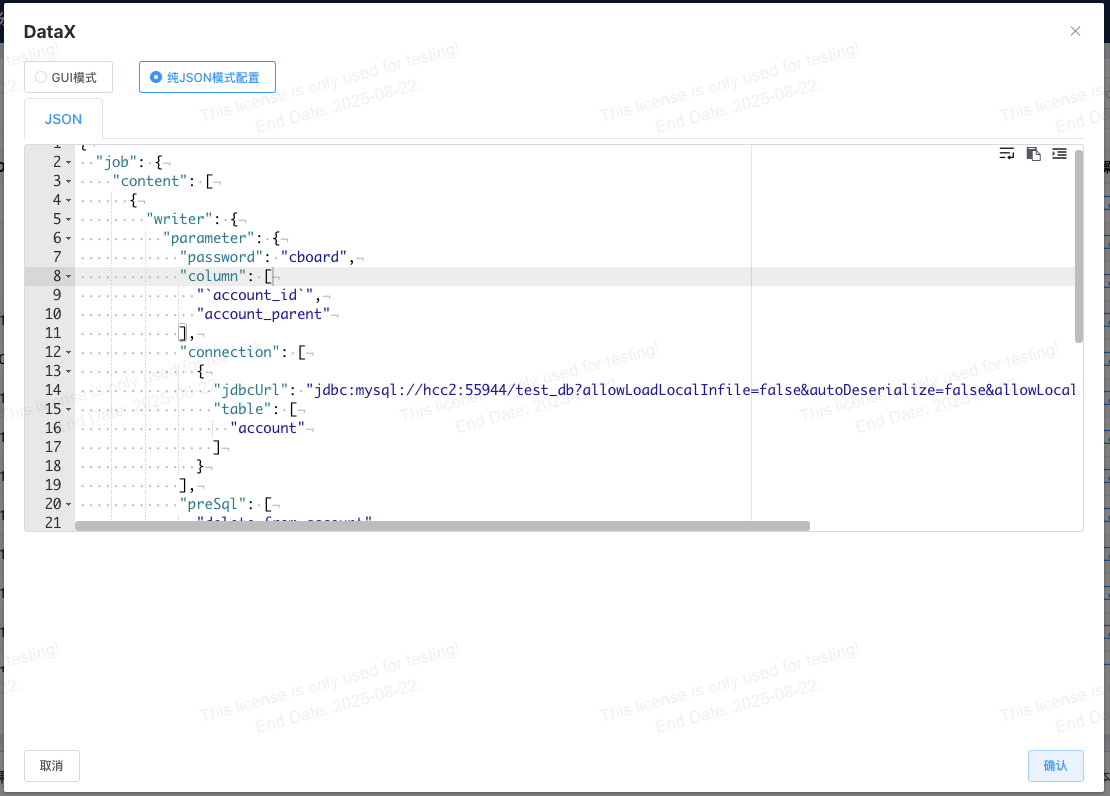
Pure JSON Configuration Mode
JSON mode is suitable for scenarios where you are familiar with DataX configuration or already have existing DataX configurations.
Shell Task
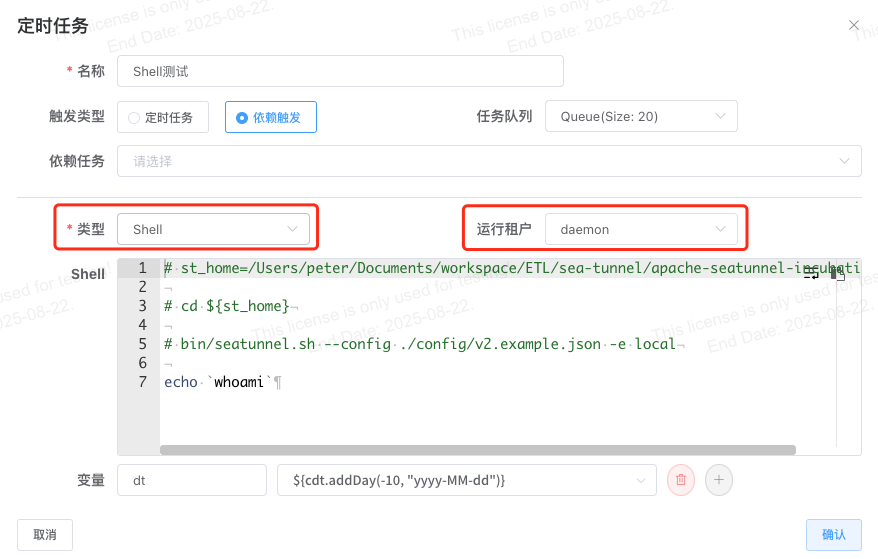
Shell Execution Tenant
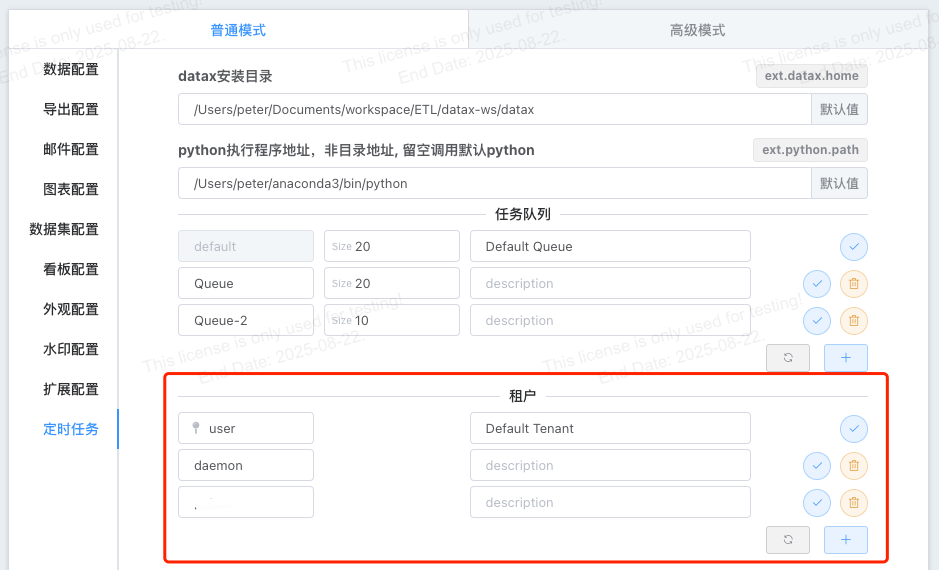
The shell execution tenant refers to the operating system user switched to when the shell task executes. Tenants need to be added by an administrator on the system configuration page, and added tenants must exist in the operating system.
Log Viewing
Shell tasks support near real-time viewing in the task log window.
Start Task Node
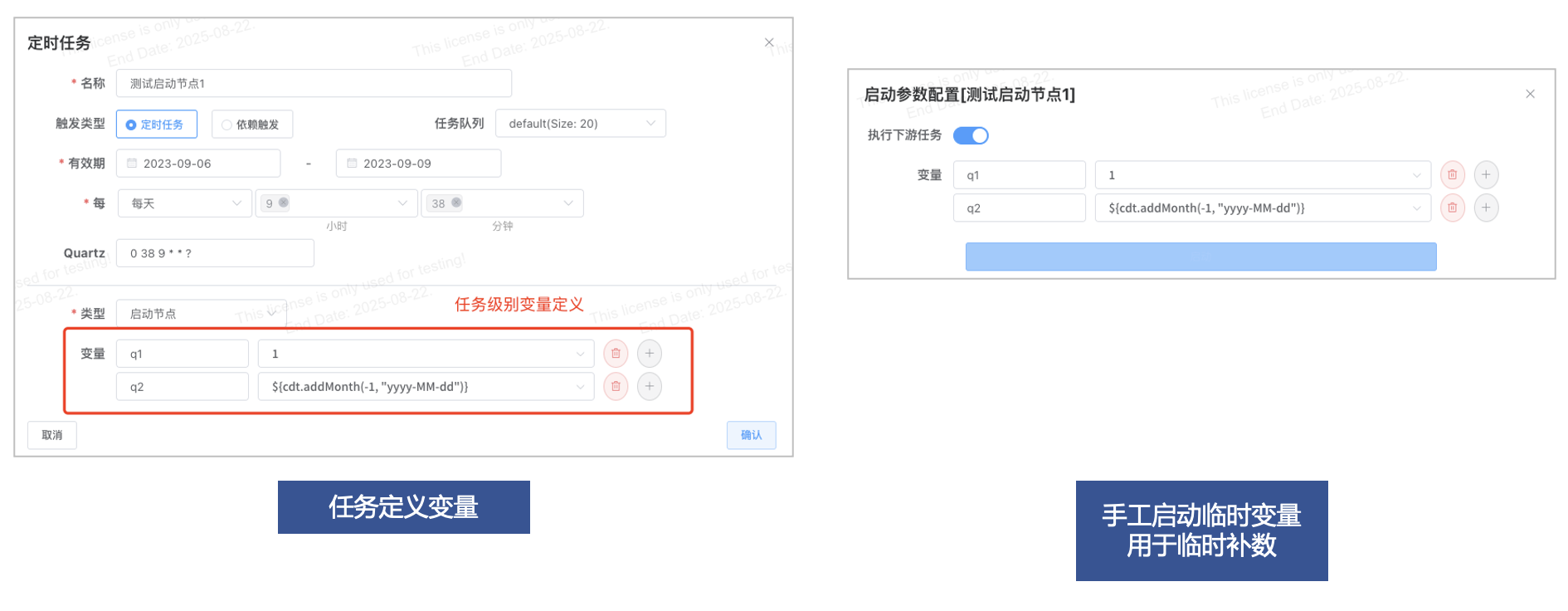
In the start node, users can uniformly define running parameters for subsequent tasks.
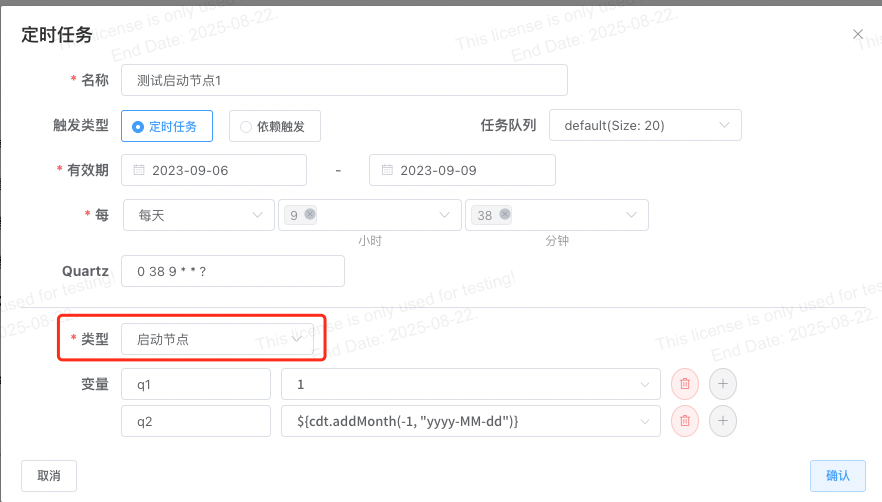
Task Features
Variable Configuration
- Supports task definition variables.
- Supports task startup variables, used for temporarily running tasks to modify running parameters without changing the default parameter configuration, such as in data backfill task scenarios.
- Startup variables support downstream dependency propagation.
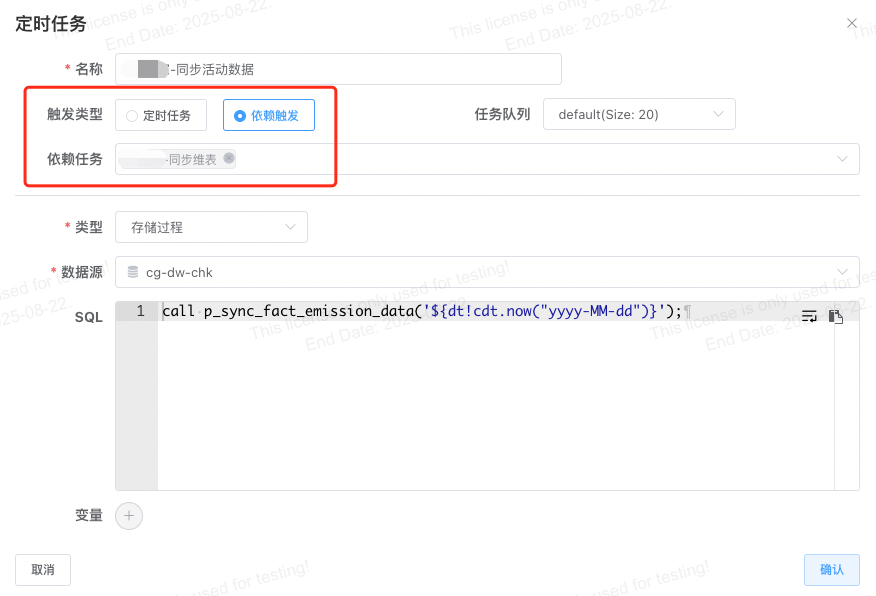
Task Dependencies
Task Execution Failure Notification
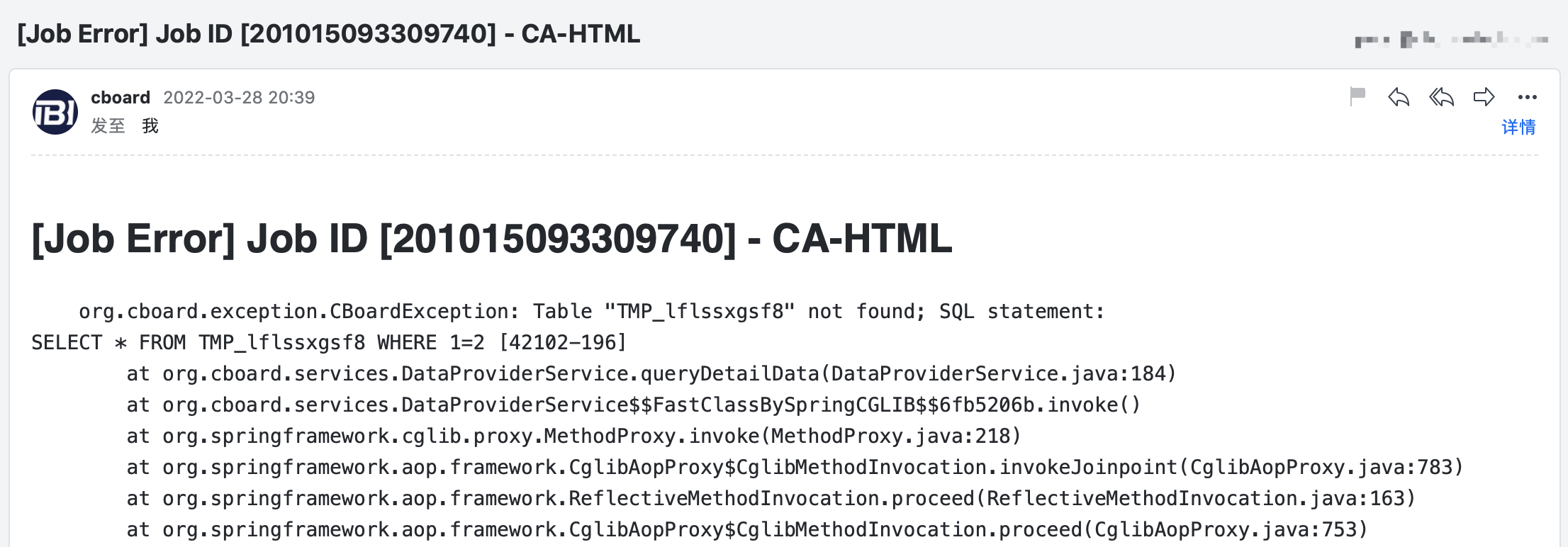
After an email task fails to send, a failure notification will be sent to the email administrator. Additionally, if the email task owner's account has an email address configured, a corresponding notification will also be sent to that owner.
## This configuration can be set in application.properties or on the system configuration page.
mail.job.admin=aa@domain.com