
Integrate
Modules Integration
Embed individual BI modules — data source, dataset, chart designer, dashboard designer — as iframes. Covers page structure, URL routes, and integration patterns.
Modules Integration
Page Structure
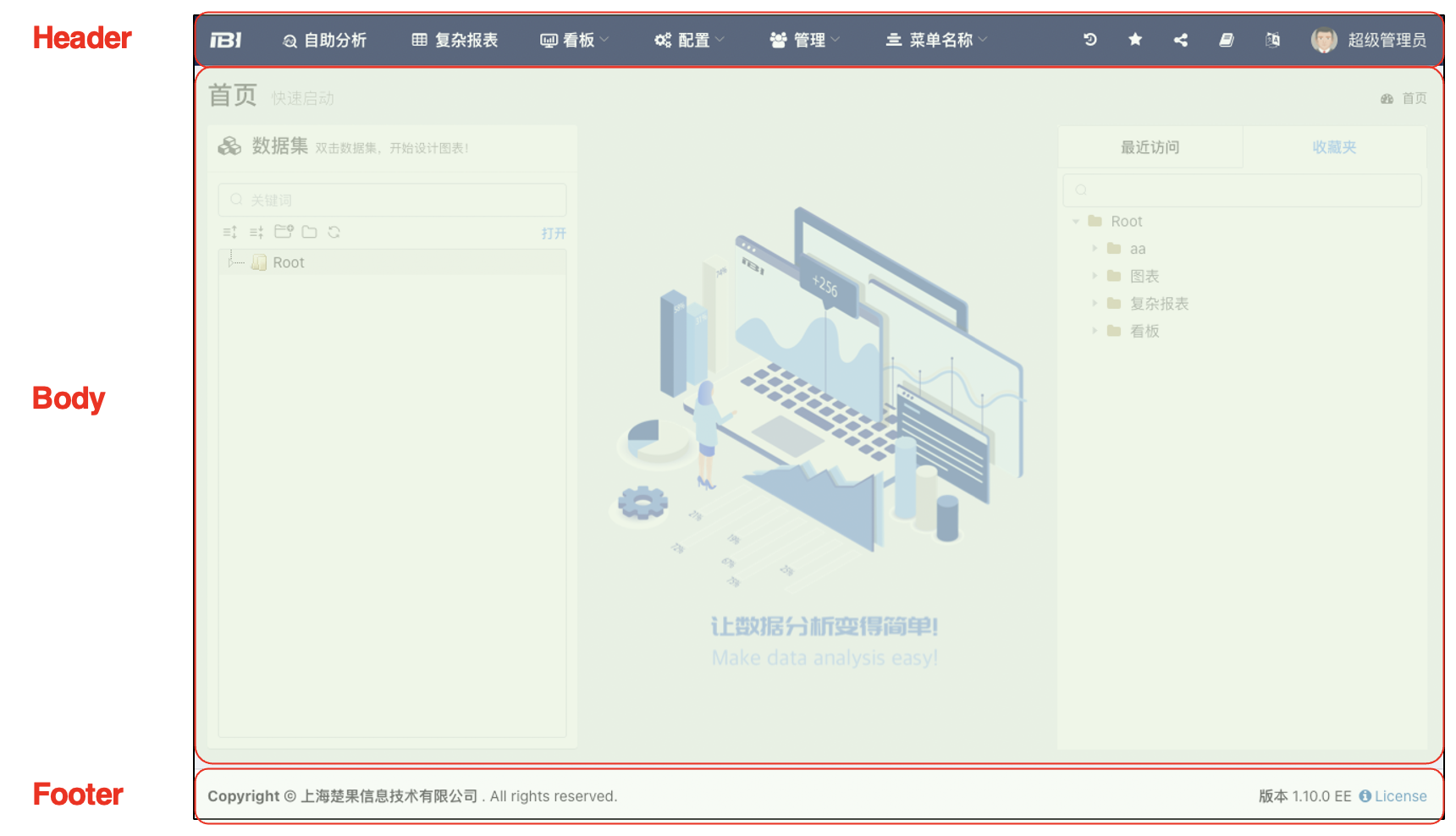
This chapter explains how to integrate IBI's various modules as iframes into external systems. Before starting, let's first understand the structure of IBI's pages, as shown in the following diagram:
- Header: The top section, used to display the menus for IBI's various functional modules.
- Footer: The footer, showing company, copyright, version, and license information.
- Body: The specific content of each module, which is the part we will later need to integrate into the external system.
Integration URL Structure
${baseUrl}?bodyOnly=true&token=${token}#${moduleRoute}[?moduleParameters]<iframe id="frm"
:src="url"
style={{width: "100%", height: "100%", border: "none"}}>
</iframe>- baseUrl: The address of the IBI application, e.g.,
https://192.168.0.11:8026/cboard - Application Parameters:
- bodyOnly: Show only the Body section, hiding the Header and Footer.
- token: Authentication token, used for IBI access authentication. If no token is passed during the current visit, it will redirect to the login page. The token will be cached in the browser after one visit.
- showList: Whether to display the resource tree in the data source and dataset modules.
- Other URL parameters will be parsed as environment variables.
- moduleRoute: The module route, specifying which page module is currently being integrated.
- Module Parameters (Hash Parameters): Parameters passed to the module, distinct from URL parameters.
Important Notes
- If IBI is deployed without a context path (i.e., directly accessible via
https://192.168.0.11:8026/), thebaseUrlshould not include/cboard. - Ensure there is no slash between the last URL parameter and the
#symbol. Otherwise, it will be parsed as part of the parameter. For example:https://192.168.0.11:8026/cboard?bodyOnly=true/#/...will makebodyOnly's valuetrue/instead oftrue, causing parameter passing to fail. - Do not omit the
#between thebaseUrl+ URL parameters and the module route.
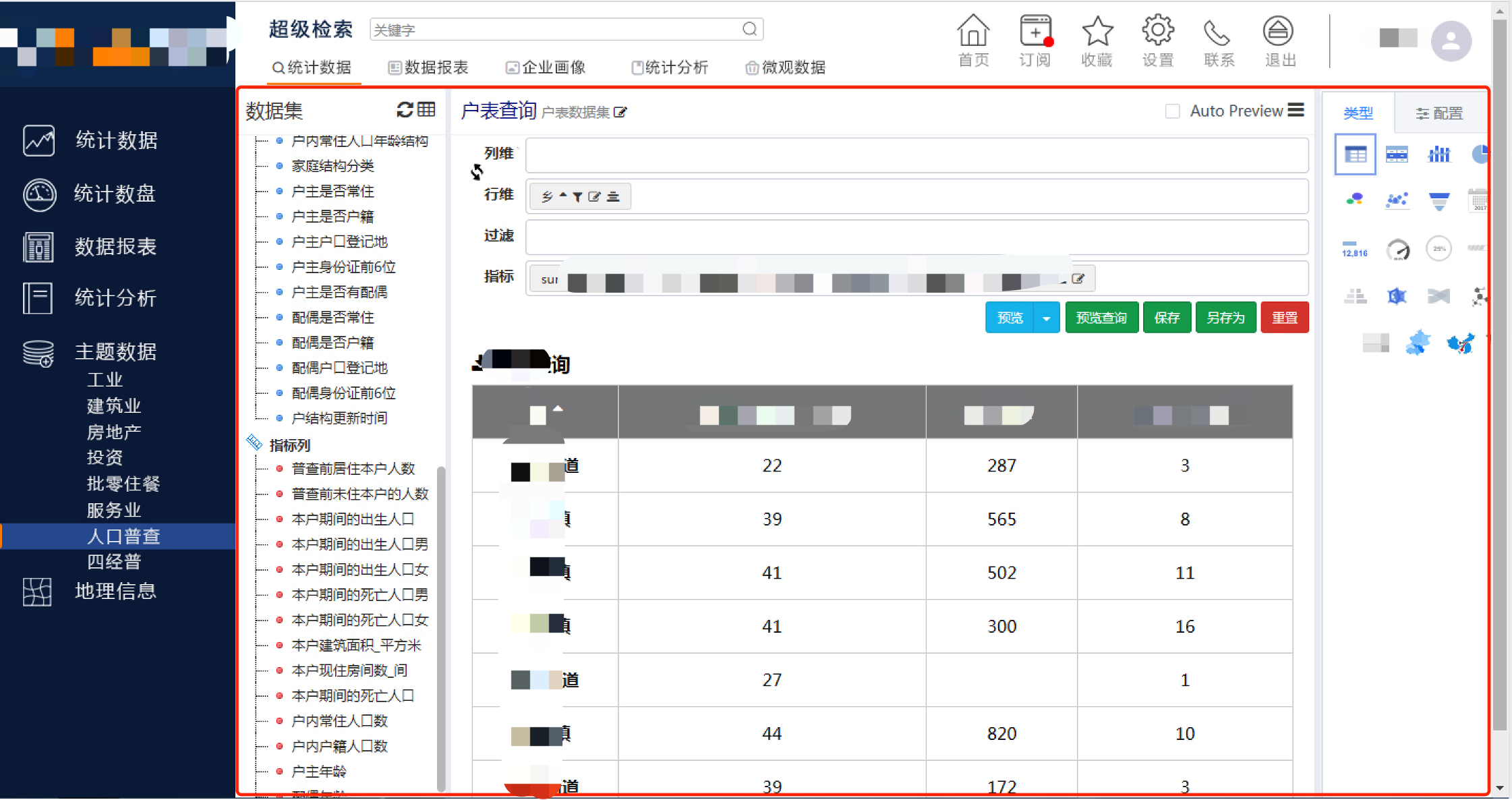
The following image shows an example of integrating the self-service analysis template into an external system:
- The red section in the image is the IBI module; the rest is the external system.
- Clicking on the "Topic Data" menu in the external system automatically switches the dataset in the analysis module.
Module Designer Page Routes
Page parameters can also be compared with the browser address.
Data Source
${baseUrl}?bodyOnly=true#/config/datasource?id=xxx| Parameter | Explanation |
|---|---|
| id | Data source ID. Changing this parameter switches the content. |
Dataset
${baseUrl}?bodyOnly=true#/config/dataset?id=xxx| Parameter | Explanation |
|---|---|
| id | Dataset ID. Changing this parameter switches the content. |
Self-Service Analysis
${baseUrl}?bodyOnly=true#/config/widget?id=xxx| Parameter | Explanation |
|---|---|
| id | Chart ID. Changing this parameter switches the content. |
| datasetId | Dataset ID. When only the dataset ID is passed (without a chart ID), it switches to the analysis mode for that dataset. |
Complex Reports
${baseUrl}?bodyOnly=true#/config/report?id=xxx| Parameter | Explanation |
|---|---|
| id | Report ID. Changing this parameter switches the content. |
Grid Dashboard
${baseUrl}?bodyOnly=true#/config/freelayout?boardId=xxx| Parameter | Explanation |
|---|---|
| boardId | Dashboard ID. Changing this parameter switches the content. |
Large Screen Dashboard
${baseUrl}?bodyOnly=true#/config/cockpit?boardId=xxx| Parameter | Explanation |
|---|---|
| boardId | Dashboard ID. Changing this parameter switches the content. |
Message Interaction
Resource Operation postMessage (IBI sends messages to the external page)
window.parent.postMessage({
    from: 'IBI',
    type: 'operation',
    ops, // insert/update/delete
    module, // datasource/dataset/widget/report/board
    id,
}, "*");
Resource Edit postMessage (IBI sends messages to the external page)
A message is sent to the external system when a resource is first modified.
window.parent.postMessage({
    from: 'IBI',
    type: 'change',
    id, // No ID in the case of a new creation
}, "*");
Receive Save Message (External page sends a message to the IBI page)
const iframe = document.getElementById('frm');
iframe.contentWindow.postMessage('save', '*');