
Report
Report Designer Overview
The complex report designer builds pixel-level, cell-based reports. An overview of the architecture, the expression engine, and what changed from earlier versions.
Overview
History
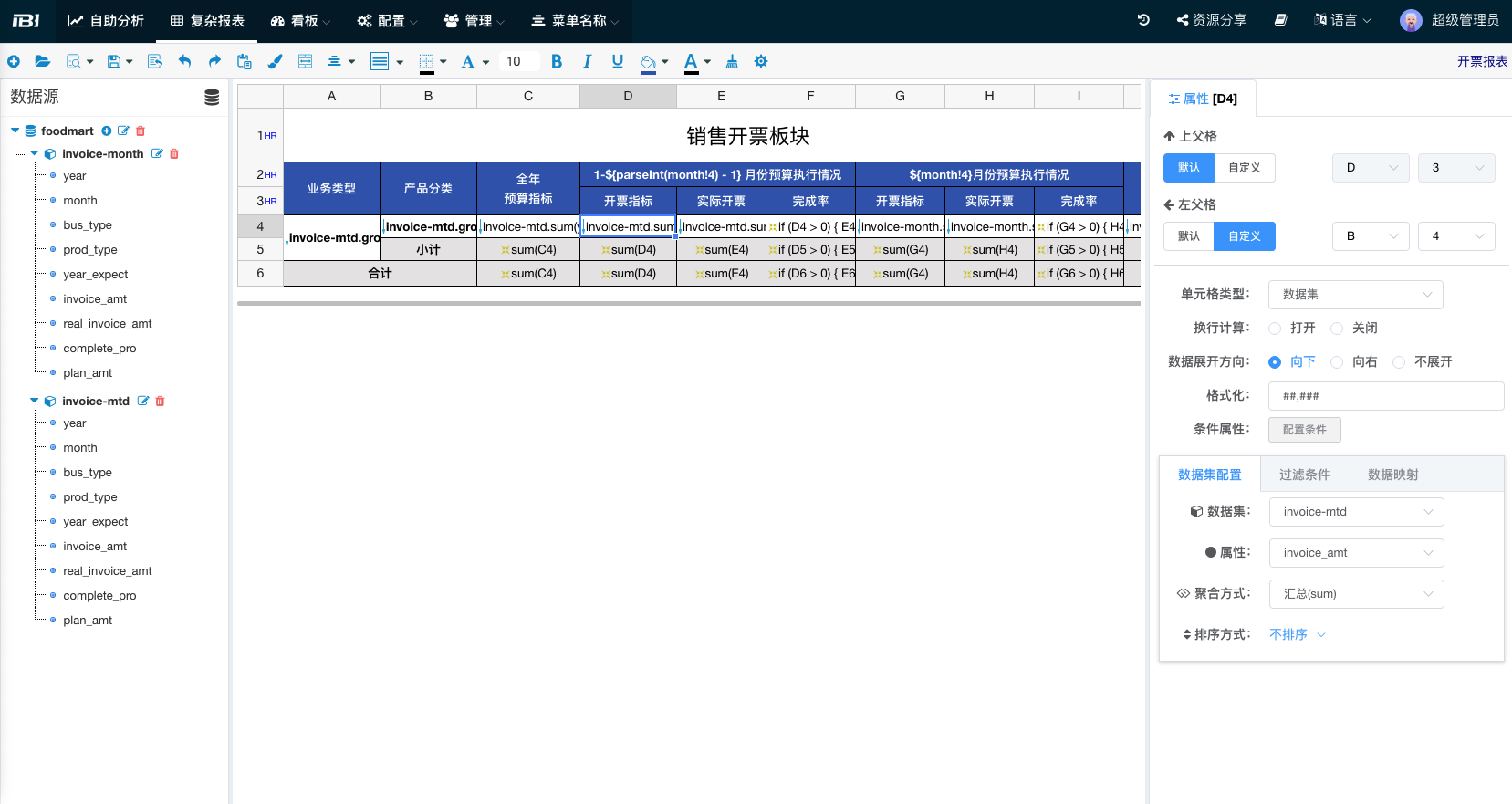
The IBI Complex Report Designer is based on the open-source project UReport2. By iterating over cells, it can achieve arbitrarily complex Chinese-style reports. The Report module is more suitable for scenarios with high requirements on table formats, such as financial statements and audit submissions.
Compared to BI self-service cross-tables, the characteristics of this type of report are:
- Complex structure, nested multi-level headers, and inter-cell calculations.
- More challenging to design.
Changes
We have made the following changes on top of UReport2:
Overall Architecture
- Rewrote the entire frontend template interaction and UI for better usability.
- Changed report definition storage from XML to JSON in the database.
- Integrated IBI data sources and datasets:
- Dataset reading includes table comments as aliases.
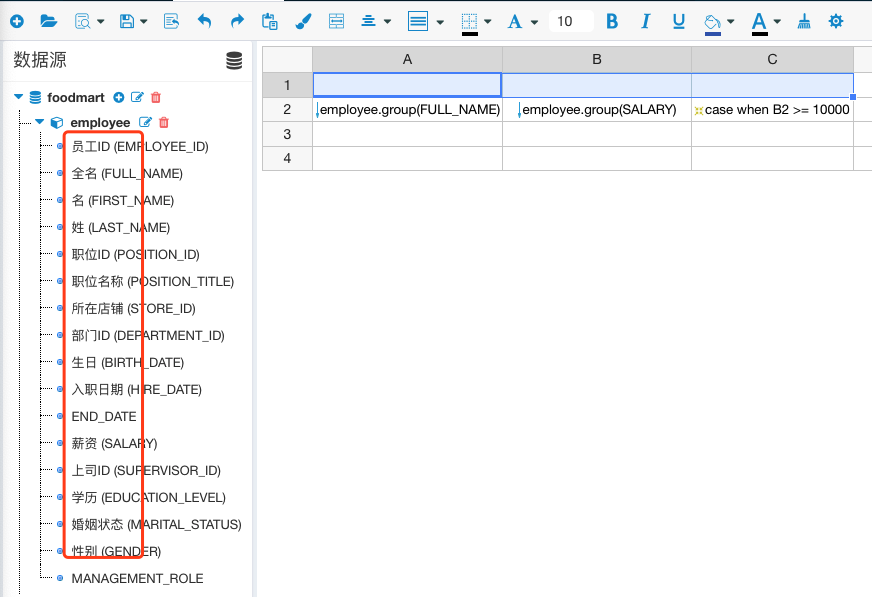
- Integrated IBI datasets with multidimensional queries v1.10.
- Dataset reading includes table comments as aliases.
- Integrated report resource permission control.
- Supports adding IBI dashboards and large-screen displays:
- Large-screen table style configuration pop-up.
- Supports BI dashboard parameters, active linkage event definitions, passive linkage event responses, and click-to-popup functionality.
- Dashboard export supports complex report export.
- Deprecated UReport2 variables in favor of IBI's variable mechanism:
- Queries support variables.
- Plain text supports variables.
- Expressions support variables.
Functional Improvements
- Cross-tables automatically add multi-level parent-cell associations. The original system's parent-cell lookup only supported one-level association for scenarios with both left and top parent cells.
- Aggregation methods now include count and distinct.
- Supports custom sorting.
- Supports column width adjustment.
- Accumulative cell coordinate calculations now support parent cells with merged cells. The original system only supported accumulative calculations with parent cells as lists.
- HTML output hides columns with widths less than 0.
- Inserting or deleting columns now properly handles merged cell settings.
Expression Improvements
- Added comment matching for single-line and multi-line comments.
- Supports set expressions, similar to SQL syntax
IN (1, 2, 3). - Fixed calculation errors for all cell expression filtering.
- Supports column-only parent-cell offsets:
C1[;B1:-1]. - Supports SQL-standard CASE expressions:
CASE WHEN THEN ELSE END. - Introduced a new coordinate expression
@to replace:and!for relative offsets. - Added compound conditional expressions:
- Graphical multi-level filtering expressions.
- Supports SQL-standard multi-level expressions, e.g.,
A1 > 1 OR A1 < 10 AND B2 > 100.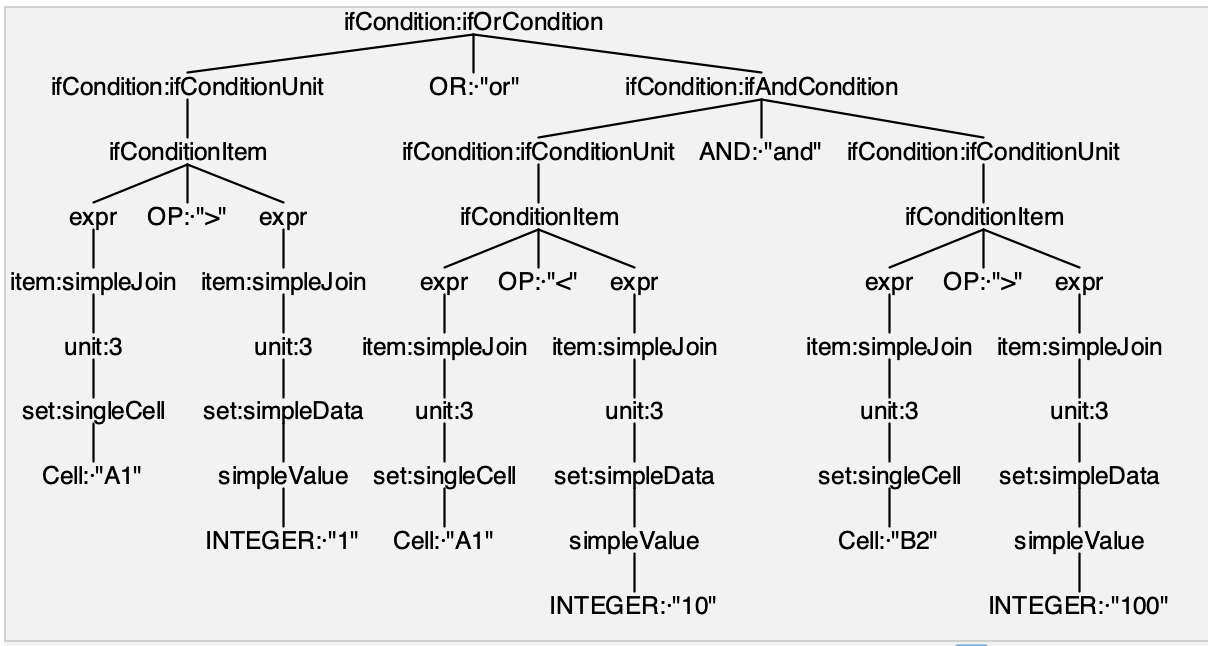
Operational Experience
- Menu Section:
- Optimized color, border, alignment, border style, and clear content operations.
- Font, background, and border settings remember the last selection, allowing direct execution with a single click.
- Preview mode now uses a pop-up window for hot previewing.
- Designer:
- Supports cell copy and cut operations.
- Added expression editor and expression templates.
Deprecated or Temporarily Unsupported Features
- Original report parameter mechanism.
- Original chart components.
- Original table click events.
- Image cells and QR code cells.