
Drill-down, Roll-up
Drill down into the next level of a hierarchy or roll back up, carrying the filter from the parent level into the child chart.
Drill by Dim Hierarchy
The Dimension Hierarchy Drill-down and Roll-up operation relies on dimension hierarchies in the dataset. Drill paths follow the hierarchy, with the most common being business hierarchies like Year-Month-Day or Province-City-County.
Config Dim Hierarchy
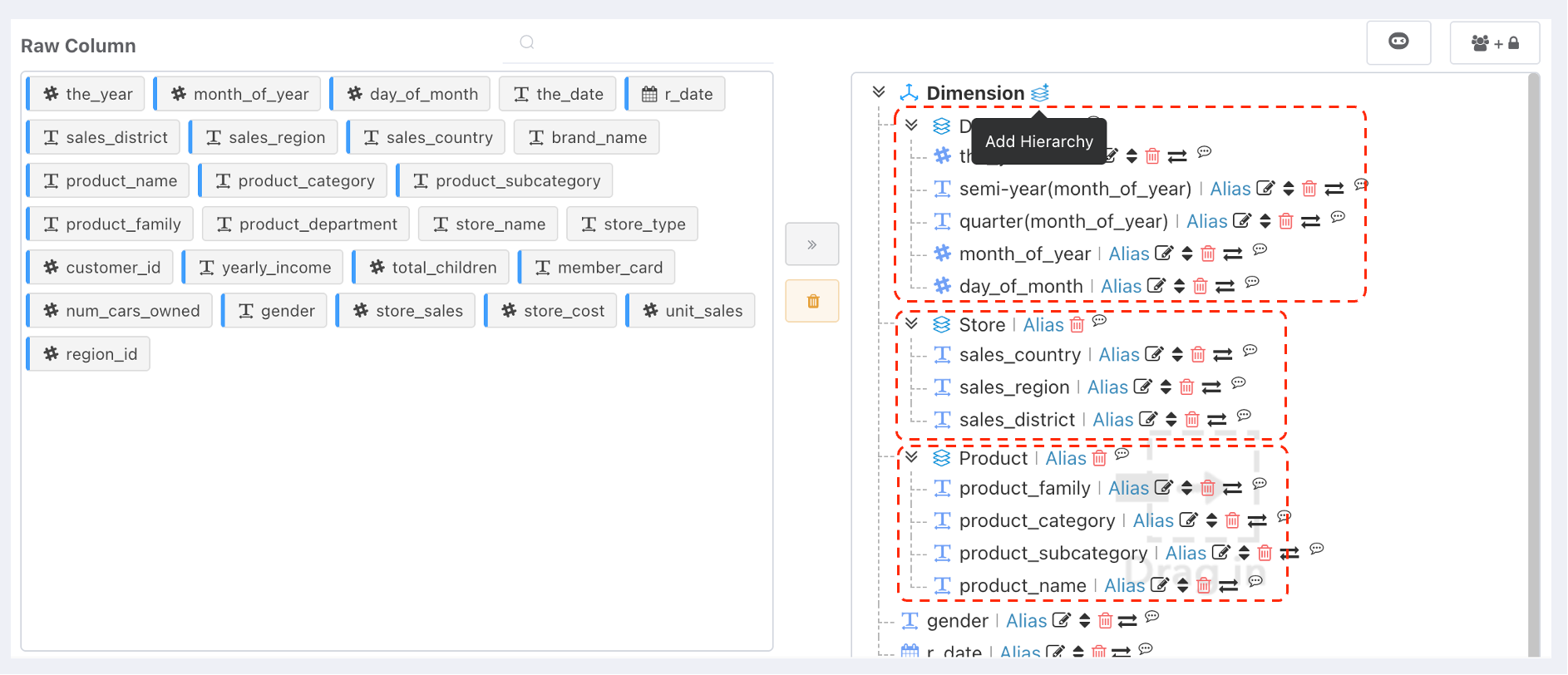
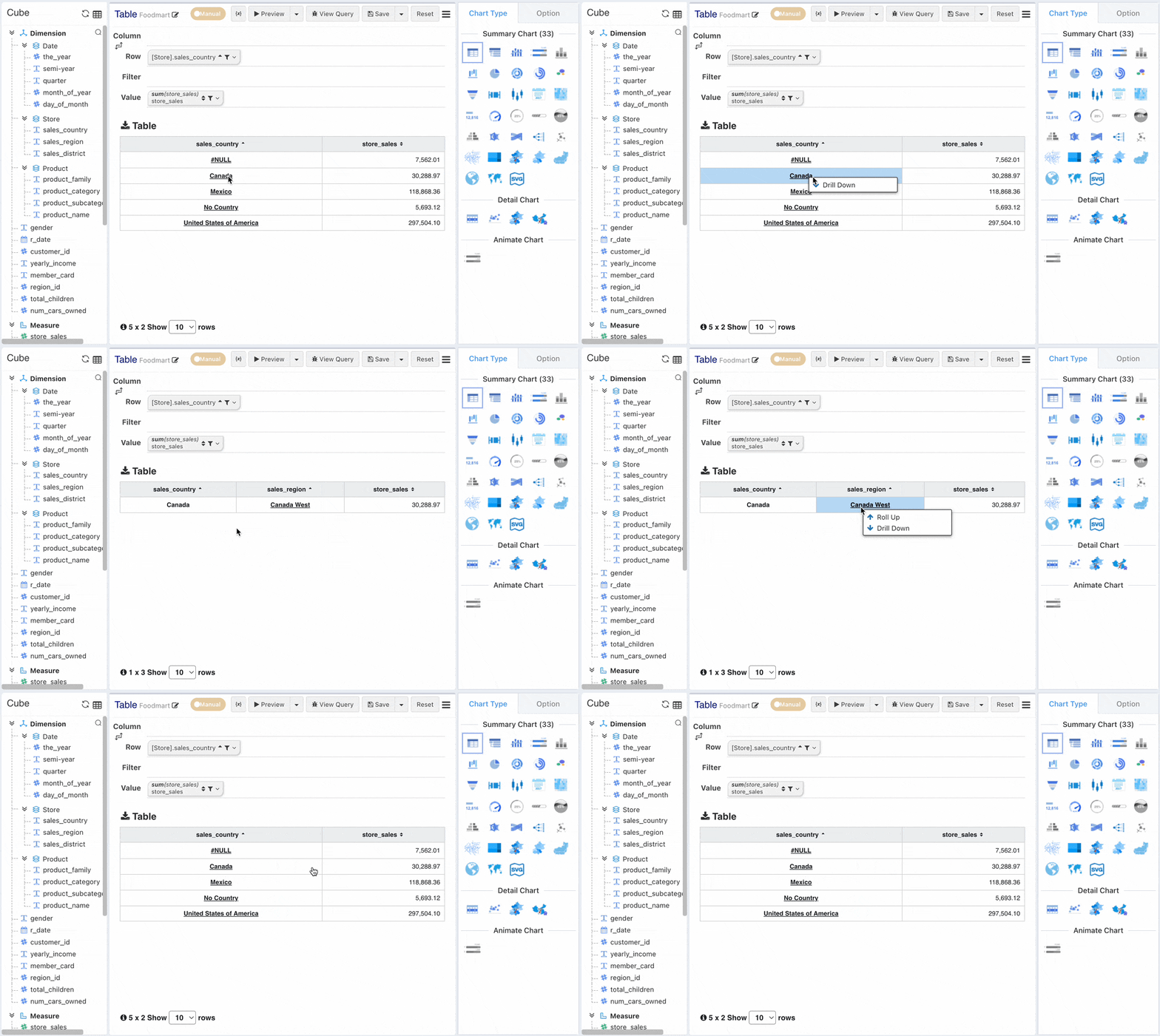
Drill-Down Effect
Drill-down Principle
Drill-down is equivalent to adding its child dimension behind the clicked dimension while applying a filter with the clicked value to the clicked dimension. For example, clicking the "Mexico" cell to drill down adds a condition where Country = "Mexico" on the Row Dimension and simultaneously adds the child dimension 【Region】 to the row dimension.
Cross-table Drill-down
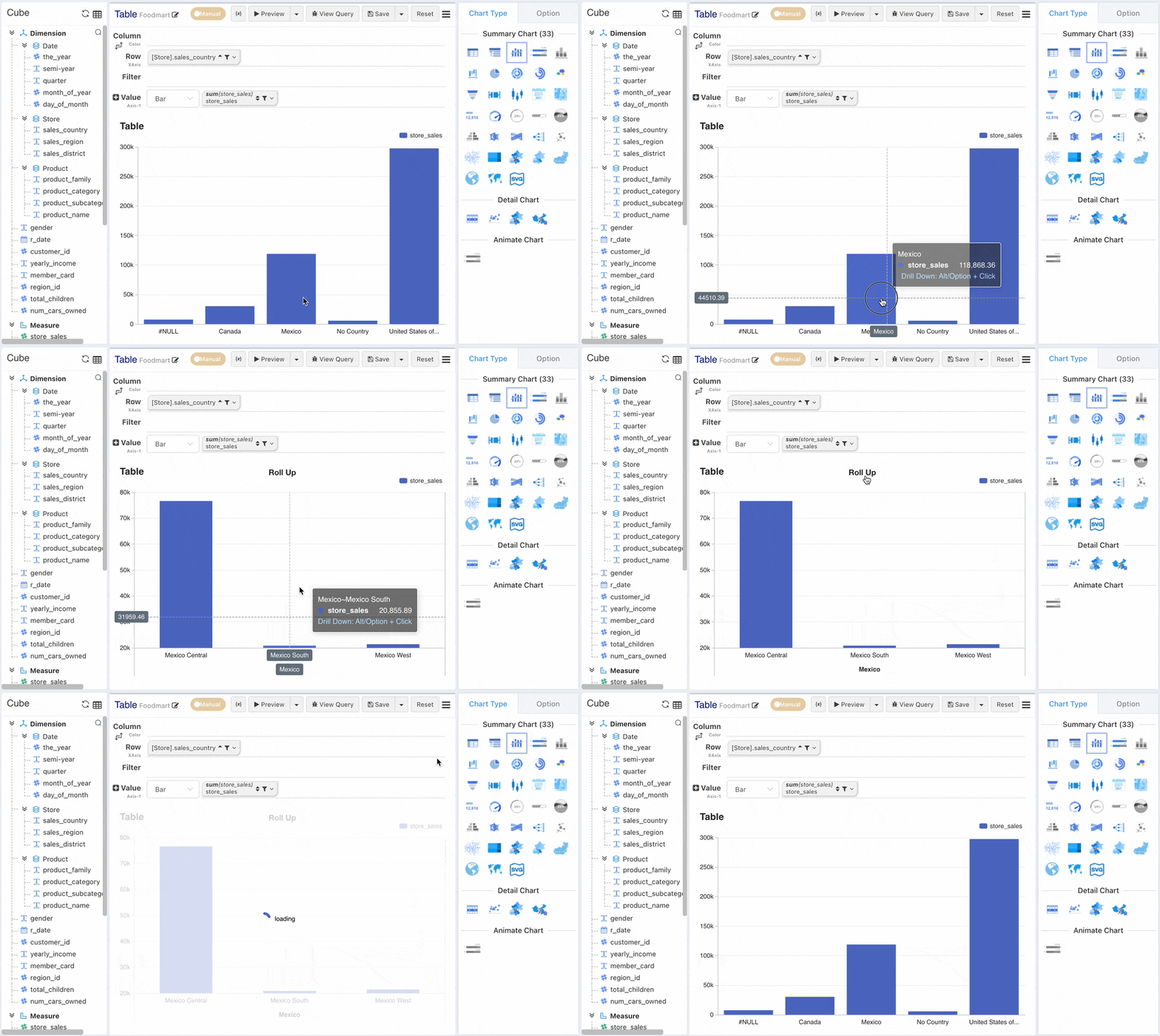
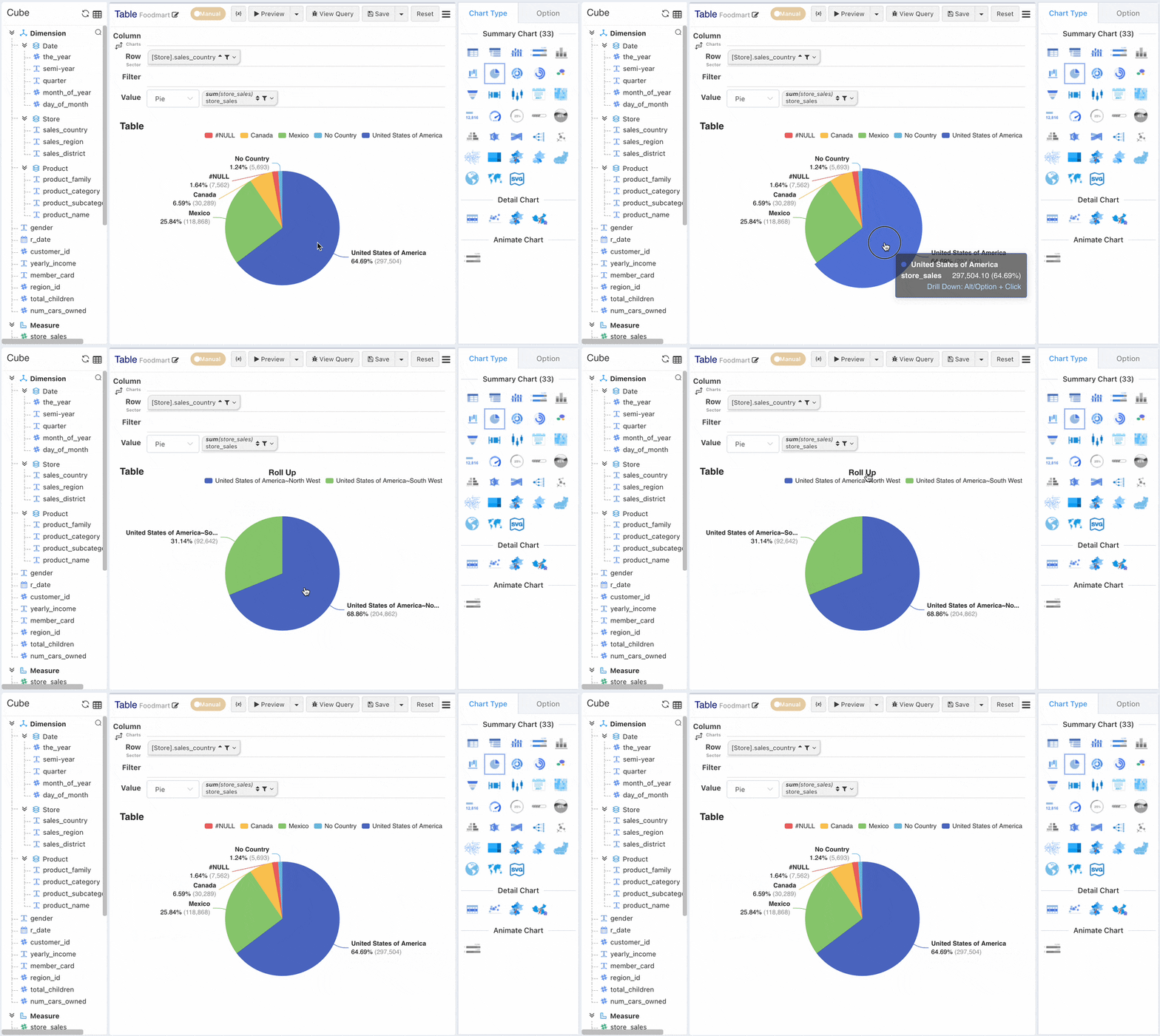
Bar Chart, Pie Chart Drill-down
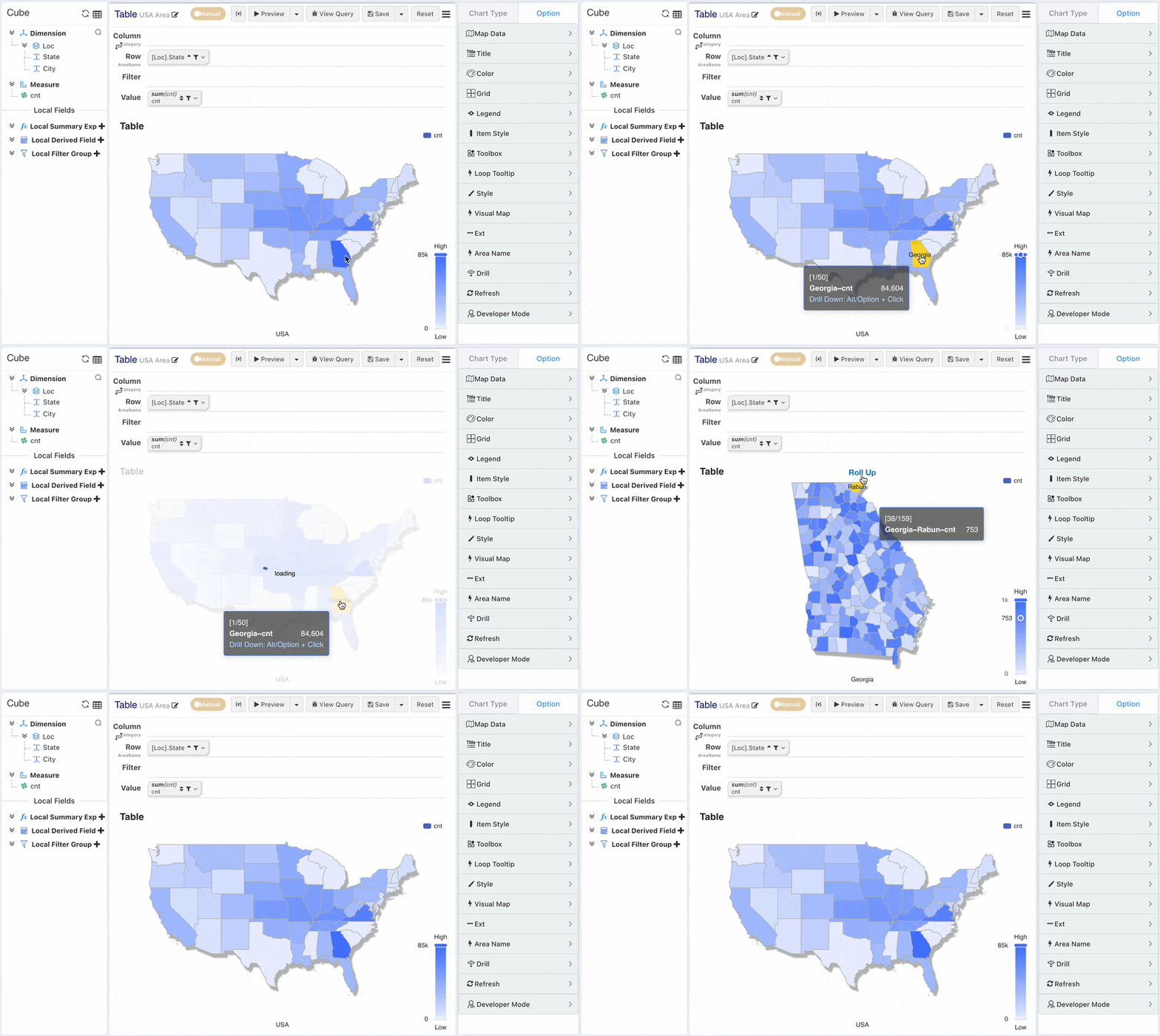
Area Map Drill-down
Drill-Across
Drill across allows users to perform drilling operations on any dimension.
Enabling Drill-Across
Considering data security for historical charts, free drill-down is disabled by default. Enable the Drill Across function
via Option -> Drill -> Allow Drill Across.
Selecting Target Cell
Select a cell (header or data). Each cell corresponds to relevant dimension information (data scope).
Drill Mode
Append
- Free Drill: Drill-down or roll-up on any dimension.
- Drill-down: For the selected measure cell with a data scope corresponding to row dimension "2017" and column dimension "Gender F", perform a drilling (DrillCross) operation on the row dimension, appending the dimension "Country".
- Roll-up: The roll-up operation logic is to remove existing dimensions on the row/column.
Replace
- Free Drill Supports Replacement: Replace all dimensions on the row/column with the drill-down dimension.
Slicing
- Slice: Keep or exclude the selected data.