
Dashboard Global Settings
Configure a dashboard title, page background, title font, and whether filters re-query on change. Global settings apply to every chart on the board.
Title Configuration
In edit mode, click the dashboard title to modify it.

Global Configuration
Click the Global Configuration button to display the dashboard global configuration menu in the sidebar.

Title Font & Page Background
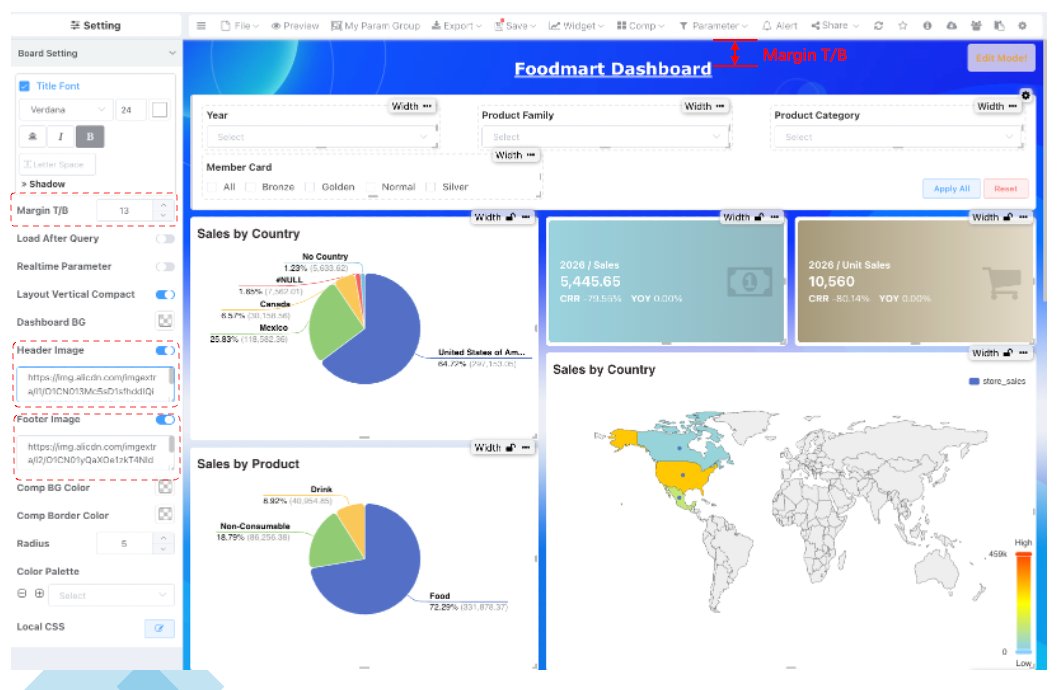
You can adjust the default dashboard title font style, size, alignment, margins, etc., in the dashboard global settings.
Export Image
Dashboard styles do not take effect when exporting images or Excel.
Query on Filter Change
When configured for immediate effect of parameter changes, each time a user modifies a query parameter, it automatically triggers chart refresh. This differs from manual query mode, which requires clicking the query button after modifying parameters to take effect.
Background Color
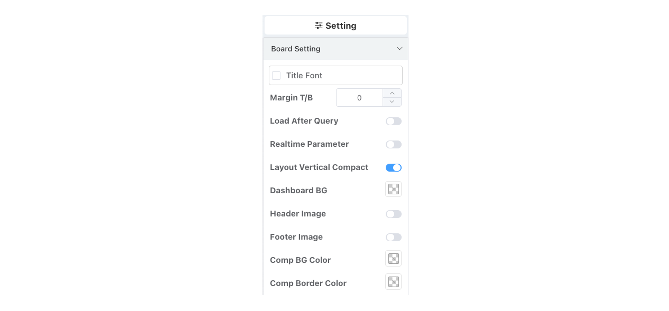
Supports dashboard background color, component background color, component border style configuration, title font configuration.
Local CSS
- To meet developers' needs for fine-grained style control, dashboards support local CSS settings. This feature allows writing independent styles for the current dashboard, affecting only this dashboard without impacting global or other dashboard pages.
- Local CSS supports Less/Sass-style nested syntax.
Below is an example code snippet modifying the background and font color of query menu bar buttons:
.action-buttons {
    .el-button--primary {
        background-color: darkblue;
        color: white;
    }
}
Chart Linkage
Link a dashboard chart to datasets, other charts, other dashboards, external URLs, or a popup chart, so clicking one element filters everything it targets.
Cockpit Dashboard
Cockpit dashboards use a fixed canvas instead of a responsive grid — built for monitoring walls and large-screen displays. Covers canvas size, positioning, and preview.