Easy Pivot Logo
  • Pricing
  • Product
  • Pricing
  • Live Demos
  • Pivot Table Alternative
  • Blog
  • Documentation

Manual

Manual OverviewFolder SystemData Sources
Insight
Cross-Table / Pivot TableColumn / Line ChartAxis Style ConfigurationRadial BarPie ChartSunburst ChartTreemapMetric CardRanking BarBullet ChartWaterfall ChartBubble ChartFunnel ChartBoxplotCandlestick ChartHeatmapCircular Progress BarLiquid FillGaugeContrast Bar ChartRadar ChartSankey DiagramTree DiagramRelation DiagramWord CloudSVG MapArea MapAggregate Data Map3D MapDetail TableScatter Plot (Detailed Data)Latitude-Longitude Map (Local)Dynamic Ranking Bar Chart
Drill-down, Roll-upChart Fine-tuning Developer Mode
User and RoleRestful Interfaces

Integration

ChartsChart Detail

Radial Bar

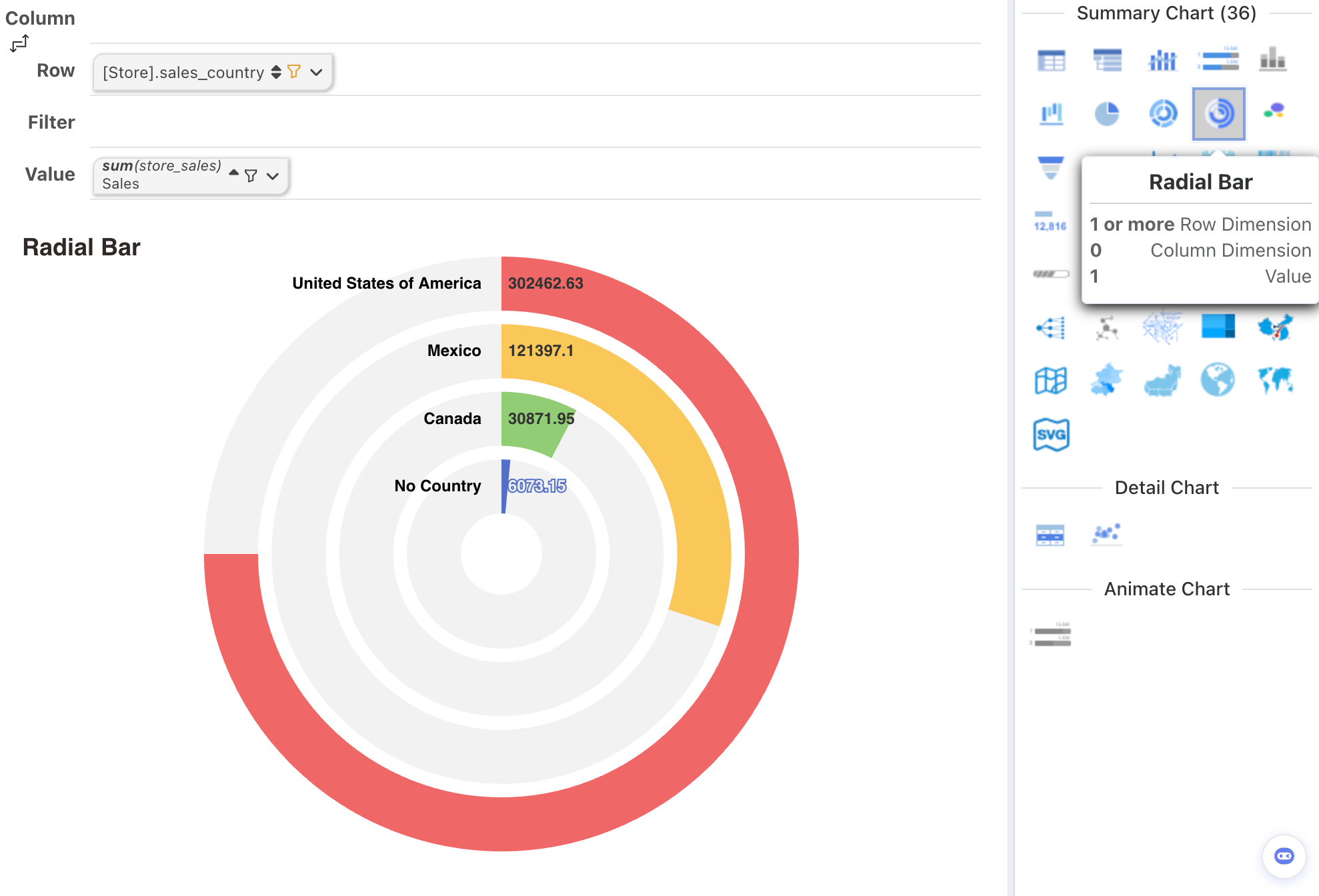
Radial Bar Chart (Circular Bar Chart)

Design AreaChart ElementRequirement
Row DimensionX-AxisPlace 1 or more dimension nodes
Column DimensionCategoryDo not place
MetricPlace 1 metric node

Axis Style Configuration

Fine-tune axis labels, ticks, gridlines, ranges, and formatting for cartesian charts such as column, line, bar, and area charts.

Pie Chart

Pie and donut charts — slice labels, percentage display, aggregation, and how to handle categories beyond the readable slice count.

Log InStart Free