
ChartsChart Detail
Ranking Bar
Ranking bars sort categories by measure and show the top or bottom N with the remainder grouped — for leaderboards and top-product views.
| Design Area | Chart | Requirement |
|---|---|---|
| Row Dimensions | y-axis | Place 1 or more dimension nodes |
| Column Dimensions | None | Do not place |
| Metrics | Length of the Bar | Place 1 metric node |
Colors
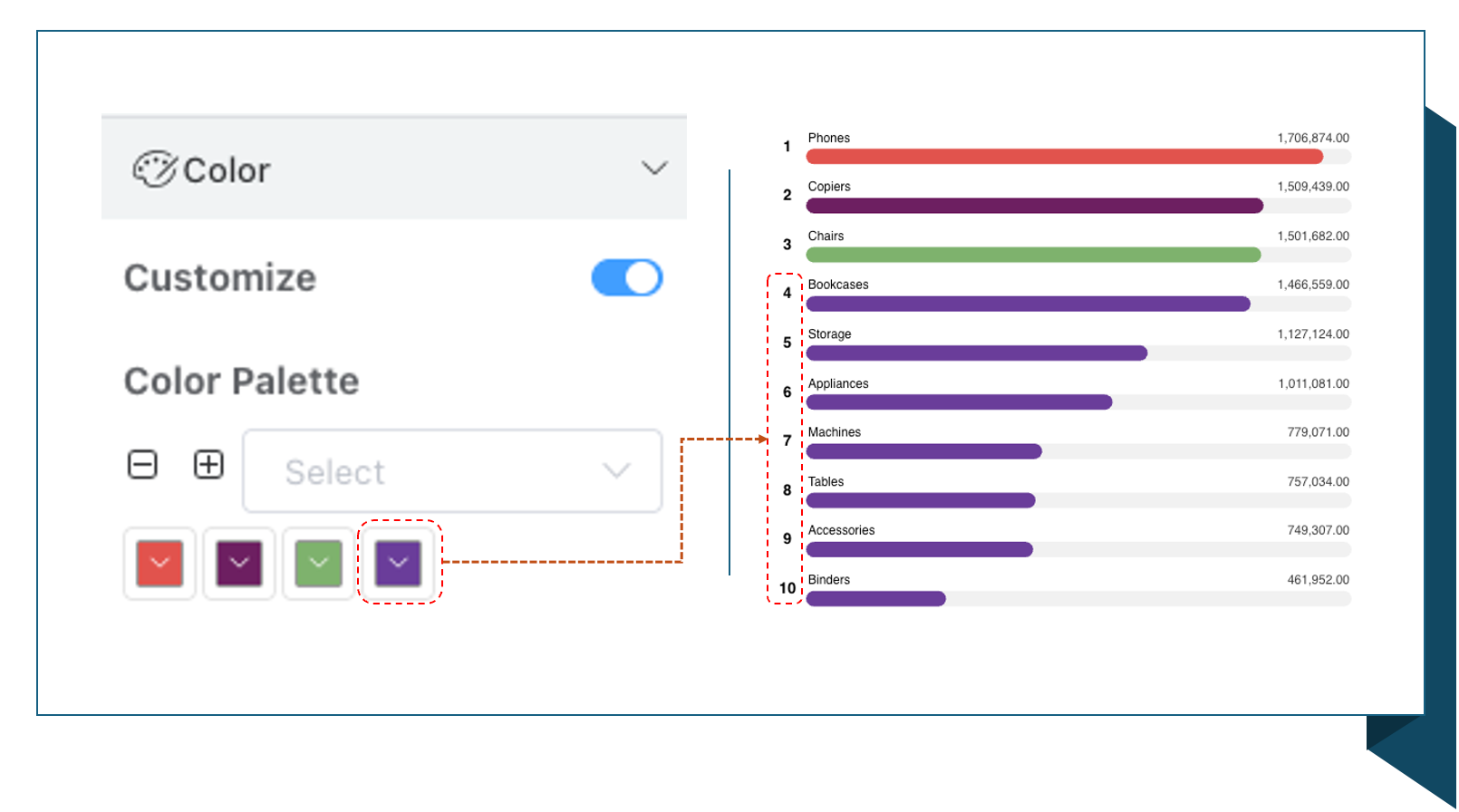
- The colors for the top 3 rankings are configured independently. Colors for rankings after the third place are unified by default.
- If the user configures colors, the configured color sequence corresponds to the rankings in order.
- For ease of unified color configuration, the last color is the unified color; it only needs to be configured once.
Bar Style
- Default bar width is 15px.
- Has background color.
- Top margin is the spacing between the bar and the text above it.
Ranking
Ranking Display Position
- Start: From which ranking to start display.
- Record Count: Total number of records to display.
- Margin: Adjust the position of the ranking text by setting the ranking margin.
Ranking Carousel (Scrolling)
Turn on scrolling, and the ranking bar will automatically scroll.
| Configuration Item | Description |
|---|---|
| Rows per Page | Number of records displayed per page |
| Step | Number of rows scrolled each time |